Business Tri-fold Brochure Template Evaluation
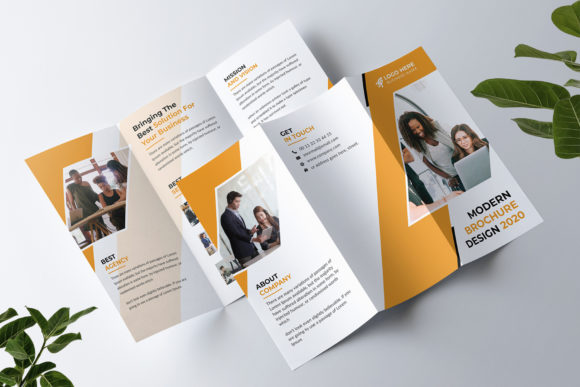
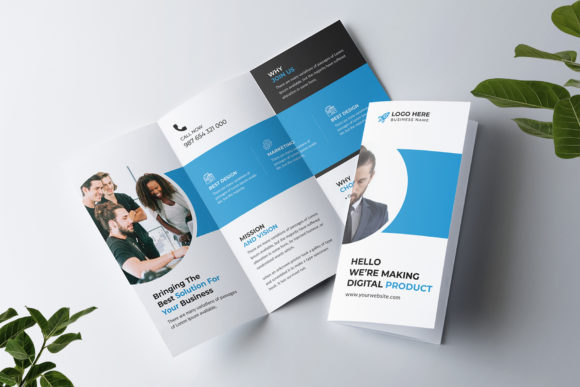
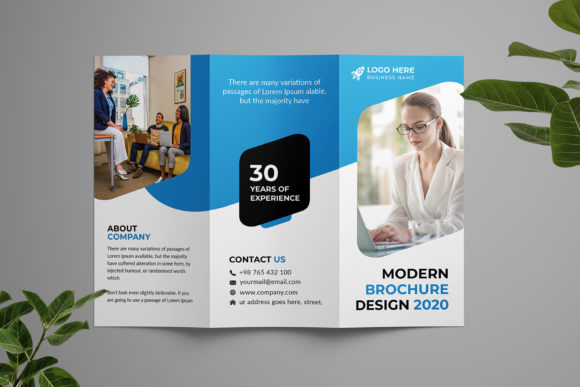
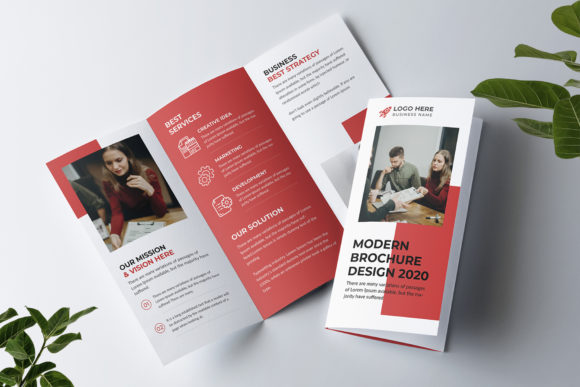
In the competitive landscape of modern marketing, visual communication remains a critical component for establishing brand identity. A Business Tri-fold Brochure Template serves as a foundational tool for agencies and corporations seeking to present their services in a structured, professional format. This specific template is designed with the dual needs of creative flair and corporate professionalism in mind. It is constructed using Adobe Photoshop, offering a fully editable workflow that allows users to customize text, logos, colors, and imagery without compromising the underlying design integrity.
For professionals evaluating design assets, understanding the technical specifications and practical applications of a tri-fold layout is essential. The following analysis explores the features, benefits, and considerations associated with this high-resolution PSD file to help determine if it aligns with your organizational goals.
Understanding the Design Specifications
The core value of this template lies in its adherence to industry-standard print requirements. Unlike many digital-only designs, this asset is engineered specifically for physical production. The file is provided in the native Adobe Photoshop PSD format, ensuring that all layers remain properly organized and accessible. This organization is crucial for designers who need to make rapid adjustments or collaborate with team members on the final output.
Key technical attributes include:
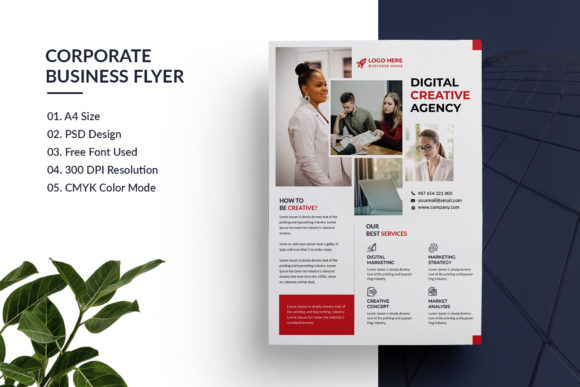
- Print-Ready Configuration: The document is set up with a standard bleed area of 0.25 inches, which prevents white edges from appearing after the paper is trimmed.
- Resolution and Color Mode: Operating at 300 DPI in CMYK color mode ensures that the final printed product maintains sharpness and accurate color representation.
- Dimensions: The layout fits the standard 8.26 x 11.69-inch page size (A4), making it compatible with most commercial printing presses.
These specifications eliminate the common troubleshooting steps often required when converting web-based designs into print files. Users can proceed directly to the export stage with confidence that the technical parameters are met.
Advantages of Using a Layered PSD Format
The decision to use a layered Photoshop file offers significant flexibility compared to static image formats like JPEG or PNG. Because the template utilizes Smart Objects, users can replace placeholder images without distorting the original quality. This feature is particularly beneficial for businesses that frequently update their portfolio or service offerings. Instead of redrawing graphics, a user can simply drag and drop new images into the designated smart object containers.
Furthermore, the template incorporates popular Google Fonts, which are free to use. This eliminates potential licensing issues regarding typography, a common concern for corporate entities. The inclusion of easy-to-edit text layers means that copywriters and marketers can modify headlines and body text directly within the software. The ability to adjust colors globally or individually allows brands to maintain strict adherence to their visual identity guidelines.
Evaluating Suitability for Creative and Corporate Agencies
This template is explicitly marketed toward creative and corporate agencies. However, determining its fit requires an evaluation of specific business scenarios. It is a strong fit for organizations that require a balance between artistic expression and formal presentation. The layout likely accommodates ample space for service descriptions, client testimonials, and contact information, which are staples of agency marketing materials.
Situations where this template is ideal include:
- New Business Launches: Companies entering the market need immediate access to professional collateral without the cost of hiring a graphic designer from scratch.
- Event Handouts: For trade shows or conferences, having a pre-designed, print-ready file allows for quick turnaround times.
- Client Proposals: Sending a physical brochure alongside a digital proposal adds a tangible element of professionalism to the pitch process.
Because the design is fully editable, it scales well for various industries beyond just advertising. Law firms, real estate agencies, and consulting groups can adapt the neutral yet sophisticated aesthetic to suit their specific niche by altering the color palette and imagery.
Considerations and Potential Tradeoffs
While the template offers extensive customization, there are limitations that potential users must consider. The primary constraint is the requirement for Adobe Photoshop. If a team relies exclusively on other design tools like Canva, Microsoft Word, or InDesign, this file may not be immediately usable without conversion or a subscription to Adobe's ecosystem.
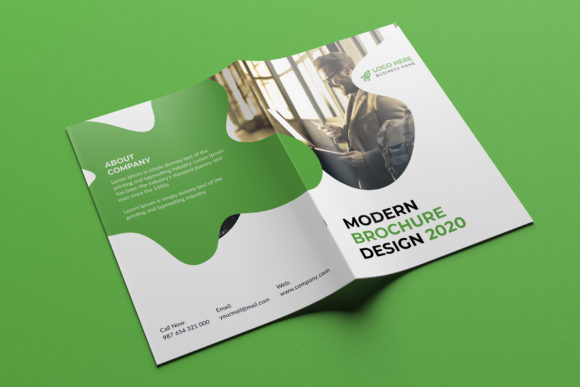
Additionally, the preview mockups and stock photos included in the demonstration are not part of the final deliverable. Users must source their own high-quality imagery. This places the burden of content creation on the user. If an organization lacks access to professional photography or high-resolution graphics, the final result may suffer regardless of how well the template is edited. It is important to note that while the font usage is free, users should verify the specific license terms for any third-party fonts used to ensure compliance with their intended distribution method.
Alternatives and Decision-Making Insights
When comparing this template to alternatives, such as vector-based Illustrator files or online drag-and-drop builders, the choice depends on the desired level of control versus ease of use. Vector files offer infinite scalability but may require more advanced technical skills to edit complex layer structures. Online builders provide speed but often limit customization options and may lack the precise print controls found in a dedicated PSD file.
If the priority is absolute control over every pixel and the assurance of print-ready accuracy, this Business Tri-fold Brochure Template is a superior choice. However, if the goal is rapid deployment with minimal technical overhead, a web-based builder might be more appropriate despite the loss of granular control.
Conclusion
A Business Tri-fold Brochure Template represents a strategic investment in marketing efficiency. By providing a structure that is both aesthetically pleasing and technically robust, it bridges the gap between design concepts and physical reality. The combination of CMYK color management, 300 DPI resolution, and organized layers makes it a reliable asset for agencies and corporations alike.
Ultimately, the success of this template depends on the user's ability to leverage its editing capabilities. Organizations that have access to Photoshop and high-quality content will find this tool invaluable for creating consistent, professional branding materials. Those lacking these resources may need to allocate additional time for asset creation or consider alternative formats that better match their existing workflows. Careful evaluation of these factors will ensure that the chosen solution effectively supports the organization's communication objectives.