Flyer Templater Evaluation
In the competitive landscape of digital marketing and event promotion, visual communication serves as the primary bridge between a brand and its audience. When selecting design assets, professionals often face a critical decision: whether to commission custom work or utilize pre-designed templates. Flyer Templater represents a significant option in the latter category. Specifically designed for versatility, this template suite—including the specialized Winter Sale variant—aims to provide a professional, clean, and creative foundation for various promotional needs.
This evaluation explores the functional attributes, technical specifications, and strategic applications of Flyer Templater. The goal is to assist designers, business owners, and freelancers in determining if this tool aligns with their specific workflow requirements and project goals.
Understanding Flyer Templater
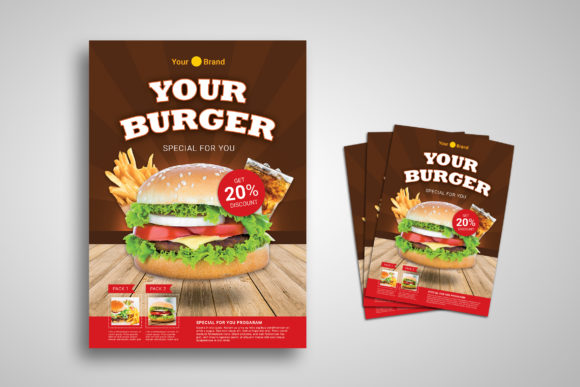
Flyer Templater is not merely a static image file; it is a comprehensive design resource built on the Adobe Photoshop platform. It is engineered to serve a broad spectrum of users, ranging from individual freelancers managing personal brands to corporate agencies handling large-scale campaigns. The template's core philosophy centers on adaptability. Whether the intended use case is an agency portfolio, an online creative publication, a conference announcement, or a magazine feature, the underlying structure is designed to accommodate these diverse contexts without losing structural integrity.
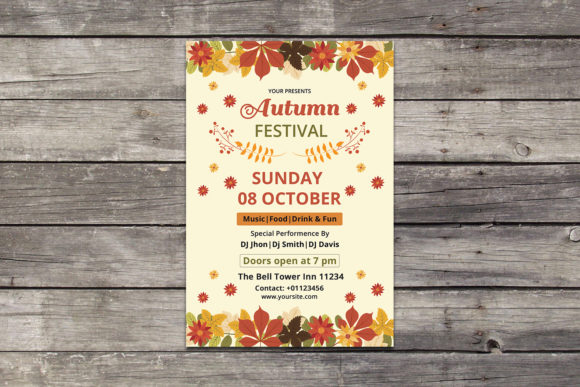
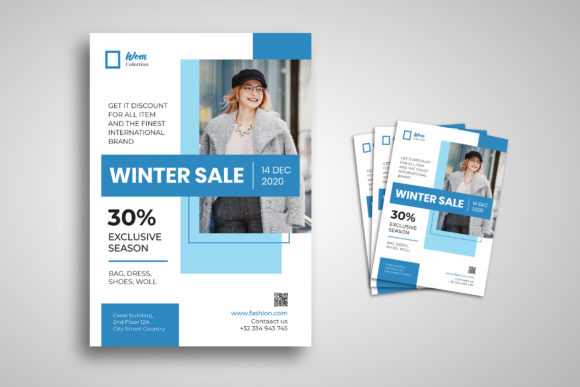
The inclusion of the Winter Sale variation highlights the template's seasonal flexibility. This specific iteration allows businesses to pivot quickly during holiday periods, leveraging a design that is already aesthetically tuned for sales events while maintaining the professional standards expected of corporate communications.
Technical Specifications and Customization Capabilities
The primary value proposition of Flyer Templater lies in its extensive editability. For users who are not expert graphic designers but possess basic proficiency with design software, the accessibility of the file is paramount. The template is delivered as a fully editable PSD (Photoshop Document) file, which includes several key technical features:
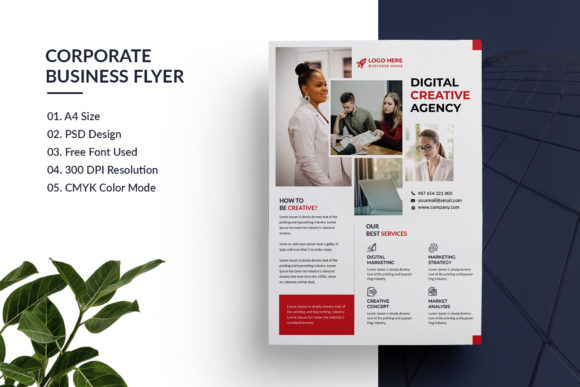
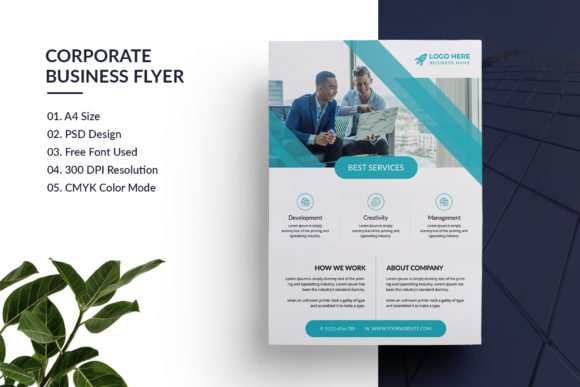
- A4 Size Standard: The dimensions are set to 21 × 29.7 cm, adhering to the international A4 standard. This ensures immediate print readiness for most commercial printing services without requiring manual resizing or reformatting.
- 300 DPI CMYK Resolution: High resolution is critical for print quality. The 300 DPI setting guarantees sharp text and crisp imagery, while the CMYK color mode ensures accurate color reproduction when the flyer is sent to a physical printer.
- Organized Layers and Smart Objects: The file structure is meticulously organized. Users can easily locate specific elements such as backgrounds, text blocks, and image placeholders. Smart objects allow for the replacement of preview images with user-specific content without degrading the quality of the original design.
- Scalability and Resizability: All objects within the template are resizable. This means that if a user needs to adjust the layout to fit different content lengths, they can do so without experiencing pixelation or quality loss.
Furthermore, the template supports free font usage, reducing the financial overhead associated with licensing proprietary typefaces. All text fields are editable via the standard text tool, allowing for rapid updates to headlines, dates, locations, and contact information.
Strategic Benefits and Use Cases
The decision to utilize Flyer Templater is often driven by the need for efficiency and cost-effectiveness. For small businesses and freelancers, the time saved in design and production is a tangible asset. Instead of spending hours creating a layout from scratch, users can focus on refining their message and targeting the right audience.
Situations where Flyer Templater proves particularly effective include:
- Rapid Campaign Launches: When a business needs to announce a flash sale or a last-minute event, the ready-to-edit nature of the template allows for deployment within minutes.
- Consistent Branding: Agencies managing multiple clients can use the clean, professional base to maintain a high standard of visual output across different projects, ensuring that even quick-turnaround materials look polished.
- Conference and Publication Promotion: The structured layout accommodates complex information hierarchies, making it suitable for detailing schedules, speaker lists, and venue maps required for conferences and magazines.
The ability to remove and edit all objects provides a level of customization that rivals bespoke design. Users can strip away unnecessary elements to create a minimalist aesthetic or add layers to increase density, depending on the information load required.
Considerations and Potential Tradeoffs
While Flyer Templater offers significant advantages, it is important to approach its selection with a clear understanding of its limitations and requirements. The template is designed specifically for Adobe Photoshop. Users who rely exclusively on web-based design tools like Canva or vector-based software like Illustrator may find the learning curve steeper compared to those using more accessible platforms.
Another consideration is the reliance on placeholder imagery. The download package explicitly states that all images used in the preview are for demonstration purposes only and are not included in the final files. While this prevents copyright issues, it places the responsibility on the user to source high-quality, relevant photography or illustrations that match the tone of the campaign. A template is only as good as the content placed within it; poor quality stock photos can undermine the professional appearance of the design.
Additionally, the "clean" and "creative" aesthetic, while versatile, may require adjustments for highly niche industries with very specific branding guidelines. If a company has rigid brand colors, fonts, and logo placement rules, significant effort may be required to override the default settings of the template.
Determining the Right Fit
When evaluating whether Flyer Templater is the correct choice for a project, stakeholders should consider their internal resources and technical capabilities. If the team has access to Photoshop and the necessary skills to manipulate layers and smart objects, the template offers a robust solution that balances speed with quality.
Conversely, alternatives may be worth considering if:
- The team lacks access to Adobe Creative Cloud software.
- The project requires a highly unique, non-standard layout that deviates significantly from the template's grid system.
- The budget allows for a fully commissioned design that captures a completely unique brand identity without any generic elements.
However, for the majority of users seeking a balance between professional aesthetics and operational efficiency, Flyer Templater presents a strong case. Its combination of A4 formatting, high-resolution output, and flexible editing tools makes it a practical asset for both personal and corporate endeavors.
Conclusion
Flyer Templater stands out as a reliable tool for modern promotional needs. By offering a 100% customizable environment with no quality loss upon resizing, it empowers users to produce high-impact visuals efficiently. The Winter Sale variation further demonstrates its utility in seasonal marketing cycles. Ultimately, the success of the template depends on the user's ability to integrate their own content effectively. For those willing to invest the minimal time required to customize the layers and replace images, Flyer Templater provides a solid foundation for successful communication.